Request Cancellation
This is how you cancel a service with us.
Updated
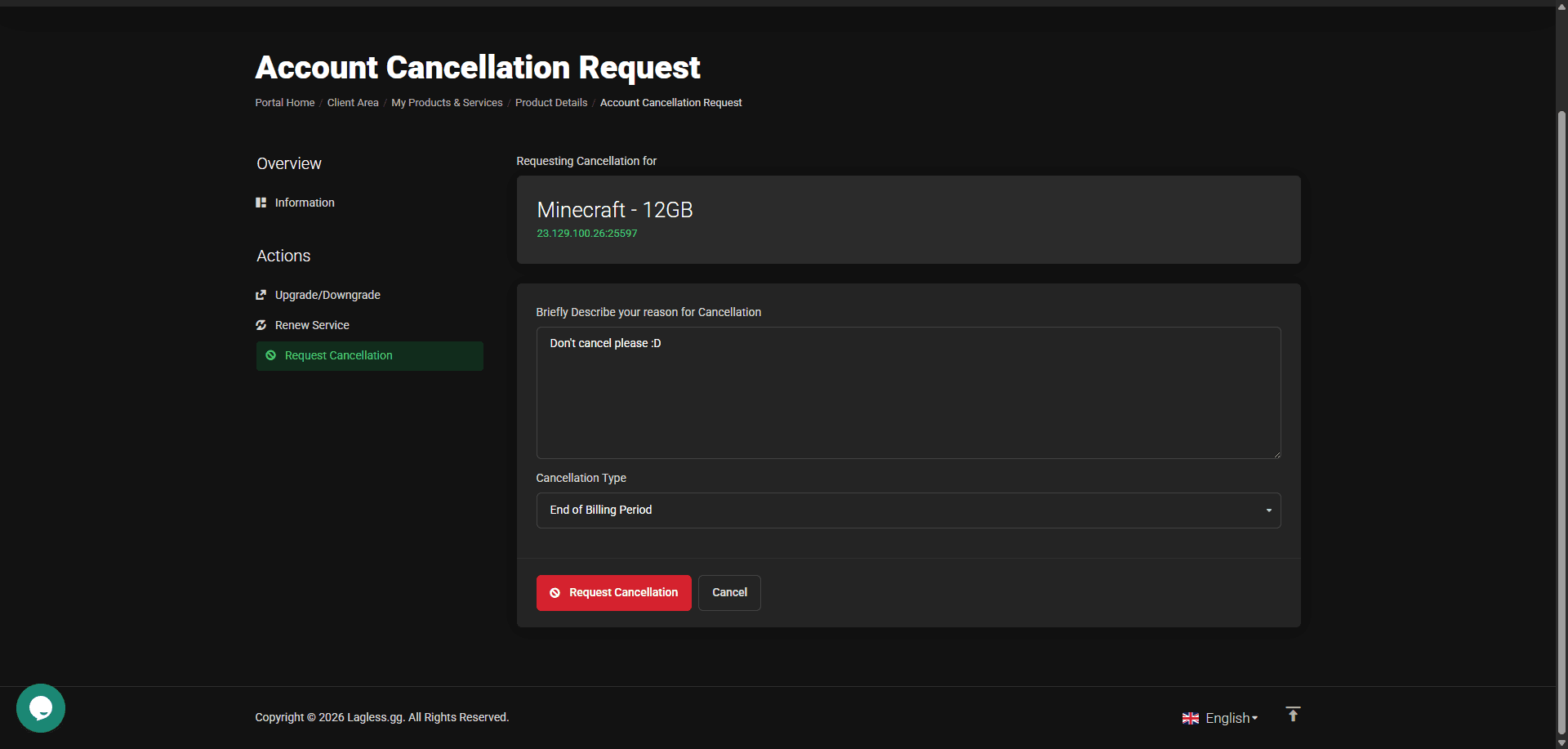
Cancellation is a simple process, and you can cancel your service at any time. You will not be charged for the next billing cycle, and your service will remain active until the end of the current billing cycle. If you choose to cancel immediately, your service will be terminated immediately.
This process is fully automated, and does not require any intervention from our support team. You will receive an email confirmation of your cancellation request, and you can always check the status of your cancellation in your client area.
Cancellation
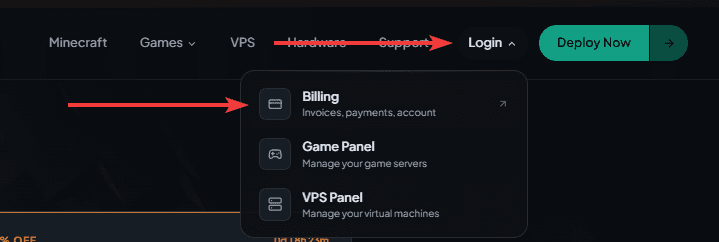
Go to our website https://lagless.gg/ and log in to Billing
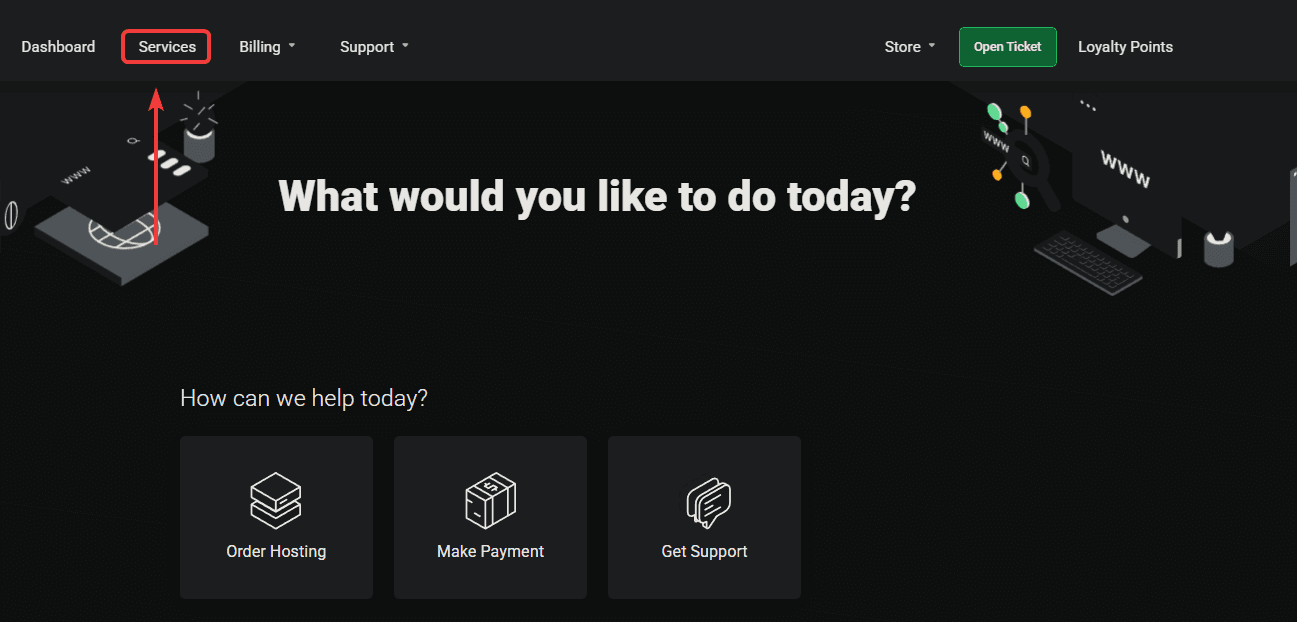
Click on Services
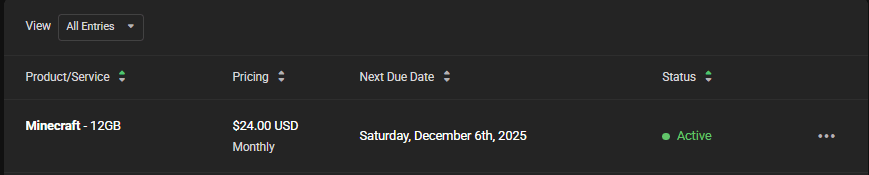
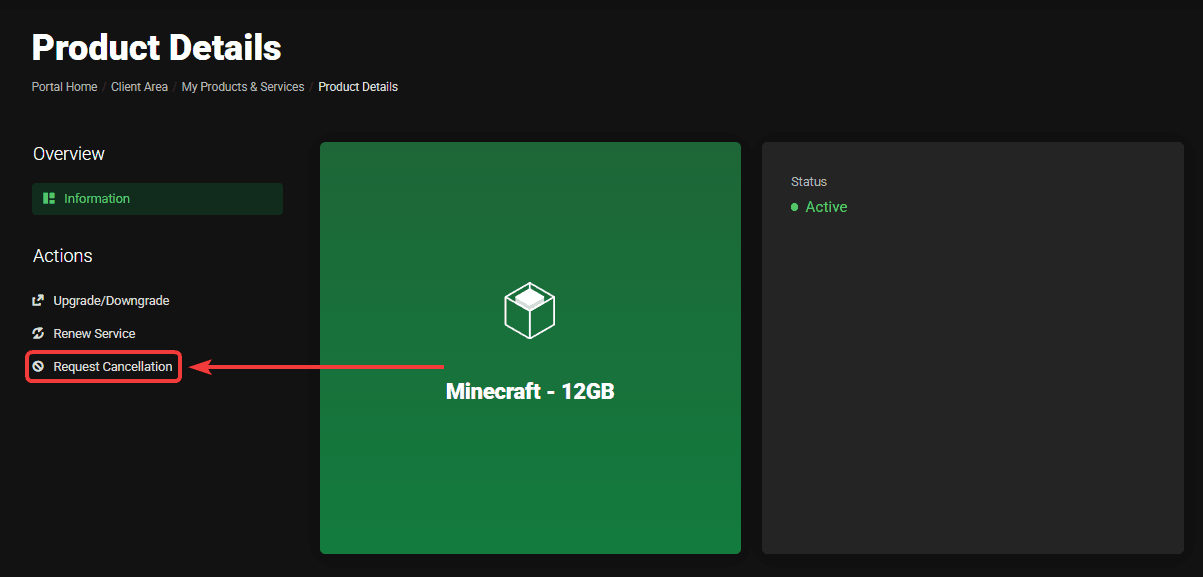
Click on the service you want to cancel, for example, the Minecraft service in the image below.
Click on Request Cancellation on the left.
Fill in why you want to cancel and when, end of billing or immediate. When you click on the red Request cancellation button it's marked for cancellation.
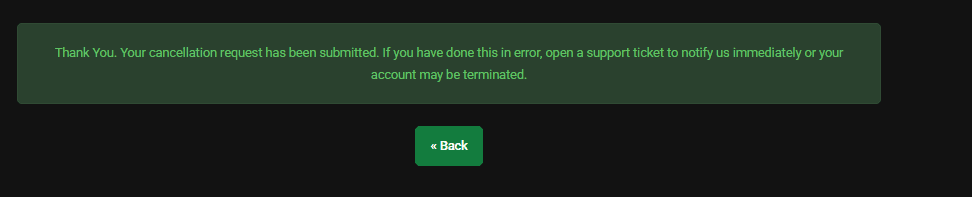
You will receive feedback about your cancellation.
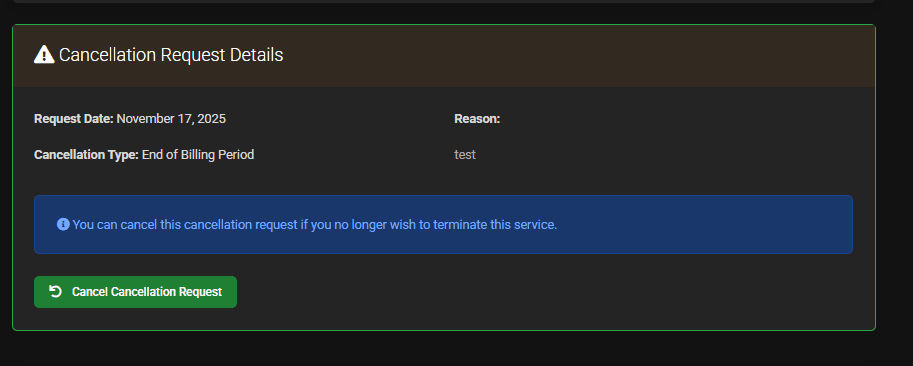
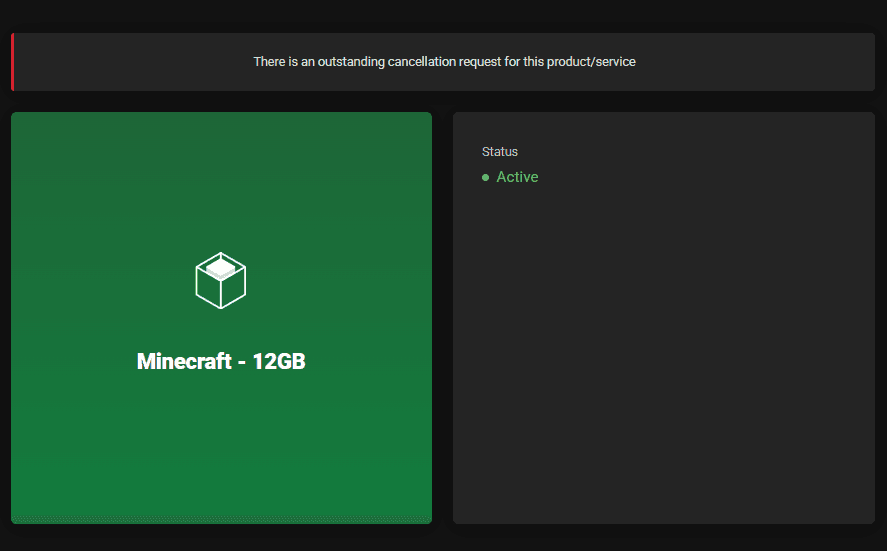
When you go back to your service, you will see an outstanding cancellation.
Didn't mean to cancel? you can still Cancel Cancellation Request by scrolling down the service you want to Cancel Cancellation Request